

Our membership fee includes the purchase of a MyLaps Pro Chip timing chip (value 300 QAR) which is used to automatically generate results for all our races and timed club events. You will receive your new chip at the first event that you attend. You own your chip and are welcome to sell it on if it still has remaining battery life when you leave Qatar.
IMPORTANT: Your timing chip is associated with your TriClub Doha account and if you do not use your own chip, forget to wear it, or use an expired chip, you will not generate automatic timing. That could mean that even if you place highly, you won't appear in the results and we may not be able to resolve that until after the podium presentation. For this reason, TriClub Doha does not guarantee a result or an accurate podium presentation.
Depending on when you first joined TriClub Doha you may have a red or a yellow-coloured chip. Here's what you need to know about each.
Yellow Chips
We now exclusively provide the MyLaps Pro Chip (yellow). Although initially more expensive than the 'red chip', it does not require annual subscription renewal and is actually cheaper over a couple of seasons.- The battery should last approximately 3-4 years after which the chip is discarded and a replacement must be purchased.
- Aside from that it is maintenance free
- Always check that your chip is working at each race. Simply pass over any of the timing boxes before your start and listen for the 'beep' tone. If you suspect your chip has died, inform the registration team.
- Store your chip away from electro-magnetic fields to prolong its life (Tip: MyLaps recomend storing chips in a metal box).
Replacing a timing chip
Red Chips
The following information is only relevant to long-time club members who still own a red Prochip Flex. 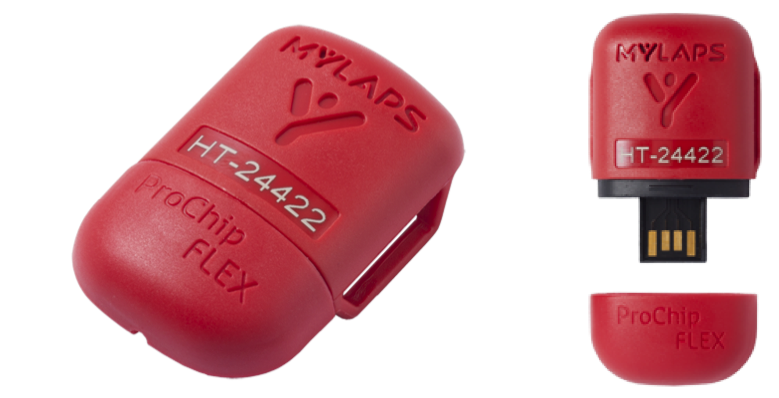
- You are responsible for buying a subscription renewal and re-activating the chip each year.
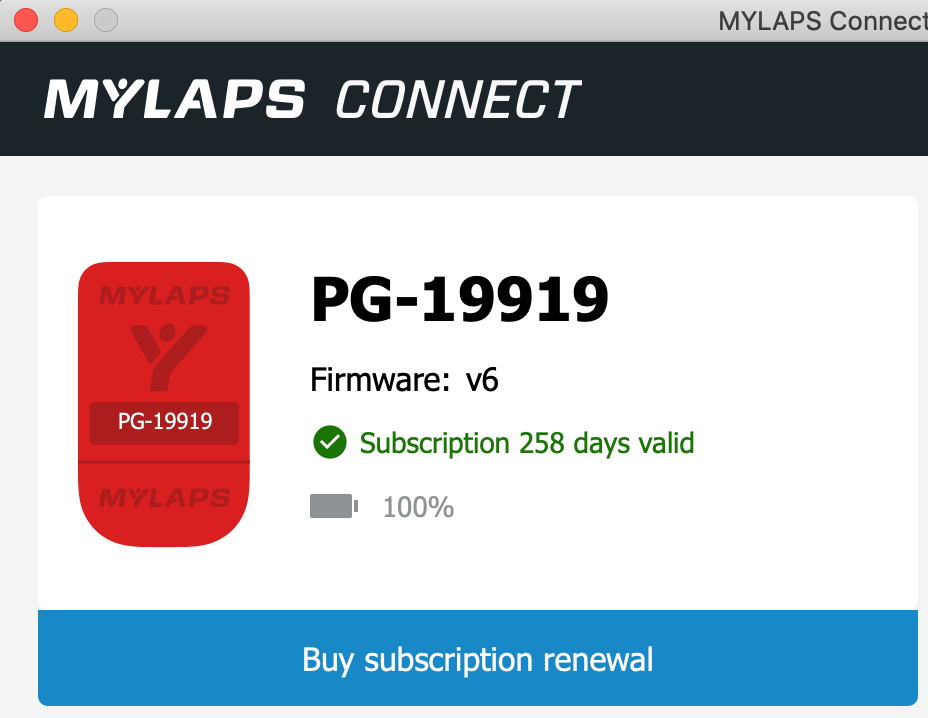
- Check the chip subscription on the MyLaps website or with the mylaps software (see below)
- Or shake the chip for 5-10 seconds and then wait for 5 seconds to see if a green light behind the Y logo flashes twice
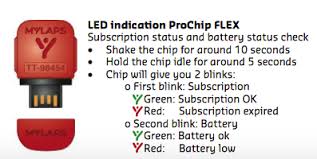
- For your convenience, we add your chip's expiry date to your member account profile page. When you renew your subscription, you should update this information for your reference
- The battery should last approximately 4-5 years after which the chip is discarded and a replacement must be purchased. It cannot be recharged via USB.
- Always check that your chip is working at each race. Simply pass over any of the timing boxes before your start and listen for the 'beep' tone. If you suspect your chip has died, speak to the registration team.
- Expired subscription chips also don't beep. Before assuming dead battery, check the subcription status.
Subscription Renewal
Before renewing, we recommend that you check the battery level using MyLaps Connect software (see below). If there is a possibility that the chip will 'die' before the end of the subscription, you may prefer to buy a new chip. In some cases we find that batteries can fail very rapidly after reaching 60-70%
To purchase a subscription or check the status, follow these instructions:
1. Go to mylaps.com and sign in. You are a racer.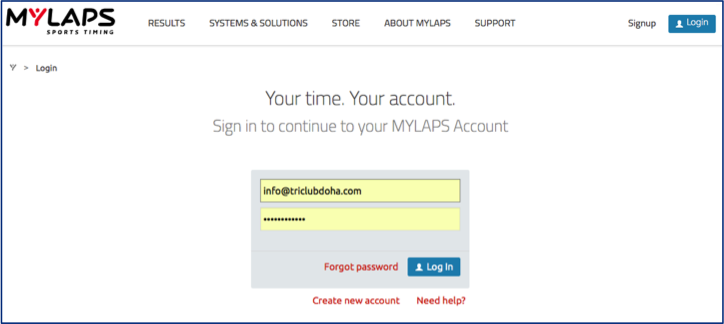
The login credentials used depend on whether the chip has been previously registered under your own account or TriClub Doha's. If it is the latter, use these credentials:
login : This email address is being protected from spambots. You need JavaScript enabled to view it.
password: Triclub123*
NOTE: Members have occasionally experienced difficulties getting payments to go through on the TriClub Doha account. Contact us in this case.
3. 'Select the 'My products' menu
4. Your chip will appear with current status and expiry date.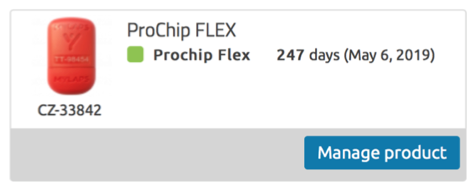
5. To renew your chip subscription, click the 'Manage product' button.
6. Remember to activate your subscription Using Mylaps Connect for Prochip Flex Transponder Software
Subscription Activation on the Chip
Click here to download Mylaps Connect to your Windows PC
Click here to download Mylaps Connect for your Mac
- Install and start the software.
- Connect your chip using your USB cable to your PC (supplied with your chip and ankle strap)
- You will be able to see the expiration date and the battery level
- If you do not have access to a computer, ask for assistance from the registration team or a timing official prior to a race